Quick answer
Choose a General, Business, or Confidential template, fill in your details, and download the completed PDF. The generator, blank downloads, and printable examples use the same three templates with larger black text on white. Your entries stay in your browser.
A fax cover sheet is the first page of a transmission. It identifies the sender and recipient, gives the page count, and helps a shared office route the document. It should contain enough information to prevent confusion without repeating private details from the document itself.
Use the generator above to prepare a finished one-page PDF in General, Business, or Confidential style. These are the same US Letter templates shown in the blank downloads, with 12-point entered text and clear 10-point labels. Preview your entries before downloading. If the receiving organization supplies a required cover page, use its version instead.
How to create your fax cover sheet
- Choose General, Business, or Confidential. The preview shows the exact template you will receive. The Confidential template includes a handling notice; it does not add technical protection to a fax.
- Fill in the recipient, sender, date, and total page count including the cover. Field names match the selected template. Business includes a company or department and a combined sender-and-company field; Confidential uses an intended recipient, organization, verified callback number, and safe reference.
- Add a brief message. General and Business also offer For review, Please reply, and Urgent checkboxes. The form asks you to shorten any entry that cannot fit in its original field.
- Choose Download PDF. The generator fills the selected template and creates a finished document that can be attached to a fax using any service.
- Choose Open PDF to print after generating the document and use your PDF viewer’s print control. Select US Letter and print at actual size.
No account or payment is required. The generator processes form entries in your browser; it does not upload or save them on our server. Reloading the page clears the editor. Download your finished file before leaving. The generated PDF contains the details you entered, so keep and share it accordingly.
Keep messages short enough for a readable one-page cover. If an entry is too long or uses characters that the document font cannot display, the form asks you to revise it before downloading. Common Latin, Greek, and Cyrillic characters are supported; some accent combinations, other scripts, and emoji need to be revised.
Prefer a blank form? Use the three downloads above. Their previews are generated directly from the original PDF files. They have fillable fields in compatible PDF viewers and use US Letter paper. The generator produces a completed copy of the same design; the blank downloads can be filled later.
Choose the right PDF download
| You need | Download | Before sending |
|---|---|---|
| A cover ready to attach | Generator → Download PDF. Your entries are placed on the page, without fillable fields. | Check the recipient, fax number, date, and total pages. |
| A form to fill later | Blank fillable PDF. Fill it in a compatible PDF viewer, or print it. | Save a copy and reopen it to check your entries. |
| A required office form | The recipient’s own cover page. | Follow its instructions and page-count convention. |
Both Fax Prime download options use one-page US Letter templates. Downloading a cover sheet does not send a fax; add the saved file as the first page of the document you will transmit.
What to include on a fax cover sheet
A practical cover sheet usually contains:
- The recipient’s name, organization, department, and fax number.
- The sender’s name, organization, callback number, and email when appropriate.
- The date sent.
- The total number of pages, including the cover sheet.
- A short subject or reference.
- A brief message or handling instruction.
The page count is important. If the cover sheet says “6 pages including cover” but the recipient sees only five, they know to check the machine or contact you. Count the cover page as page one unless the recipient says otherwise.
Use a subject that helps identify the workflow without exposing unnecessary private information. “Application documents — Reference 4821” is generally safer on a shared fax machine than a detailed summary of personal circumstances.
Completed fax cover sheet example
For a three-page document, the finished fax has four pages: one cover plus three document pages. This fictional General-template example shows how the fields work together. It uses the same details as Fill example in the free cover-sheet generator; replace every sample detail before sending, and never fax the example numbers.
| Field | Example entry | What to check for your fax |
|---|---|---|
| Recipient name | Morgan Lee | Name the person or team that should receive the pages. |
| Recipient fax number | +1 (212) 555-0100 | Replace this fictional number with the recipient’s verified fax number. |
| Sender name | Alex Rivera · Rivera Studio | Identify the sender clearly. |
| Phone or email | +1 (212) 555-0101 | Replace this fictional number with a contact the recipient can use. |
| Date | Your sending date | Fill example uses today’s date; change it if you send on another day. |
| Total pages | 4 | Count the complete transmission, including this cover. |
| Subject or reference | Signed documents · Reference 4821 | Use a short reference the recipient recognizes. |
The example message reads:
Please find the requested signed documents attached.
Please confirm receipt and let me know if any page is missing or unreadable.
Please reply is selected in this example. Choose General and then Fill example to preview it. After replacing the sample details, download the PDF and place it before your three document pages. If you add or remove a page, correct the total and download a fresh cover before sending.
A cover sheet explains what you intend to send; it is not proof that the fax arrived. After transmission, use the fax confirmation guide to check the final result and delivered page count.
How to use and print the examples
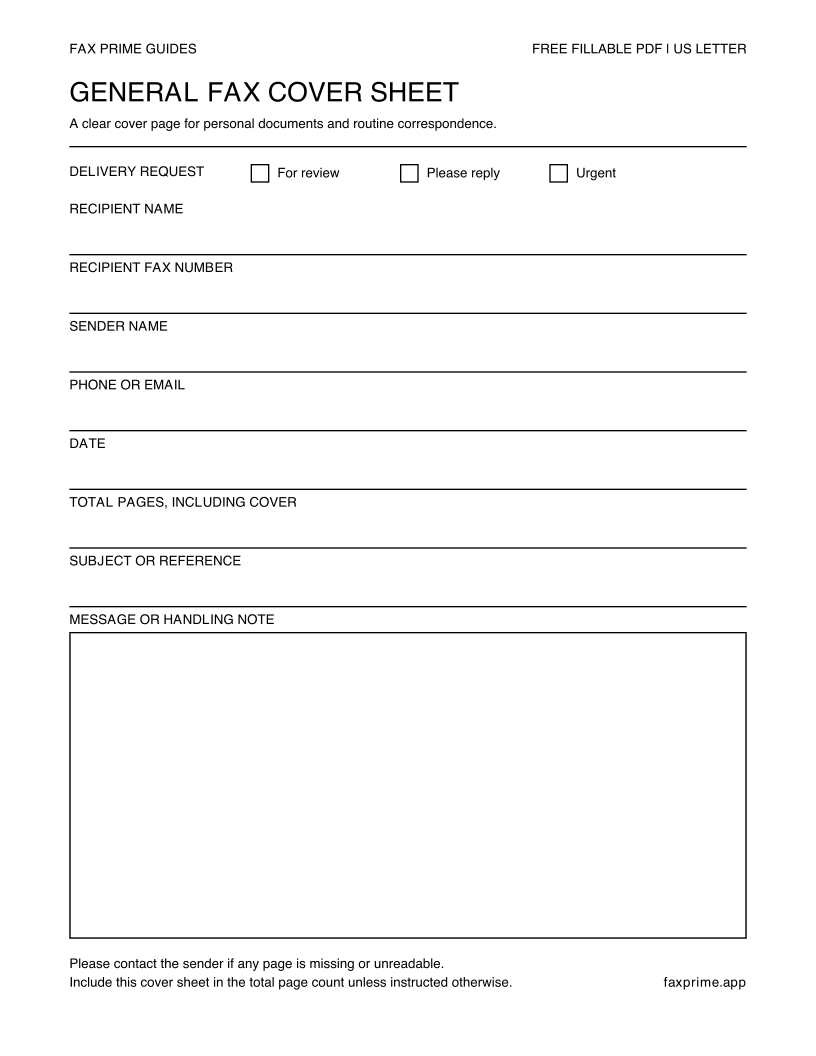
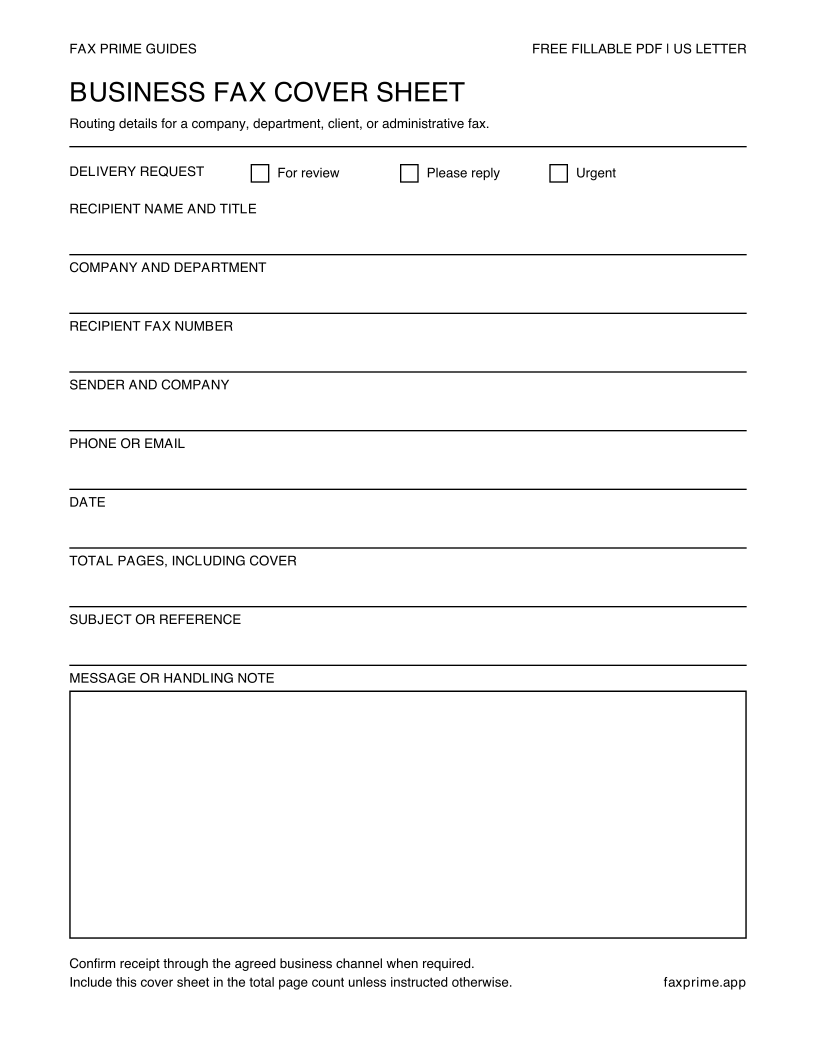
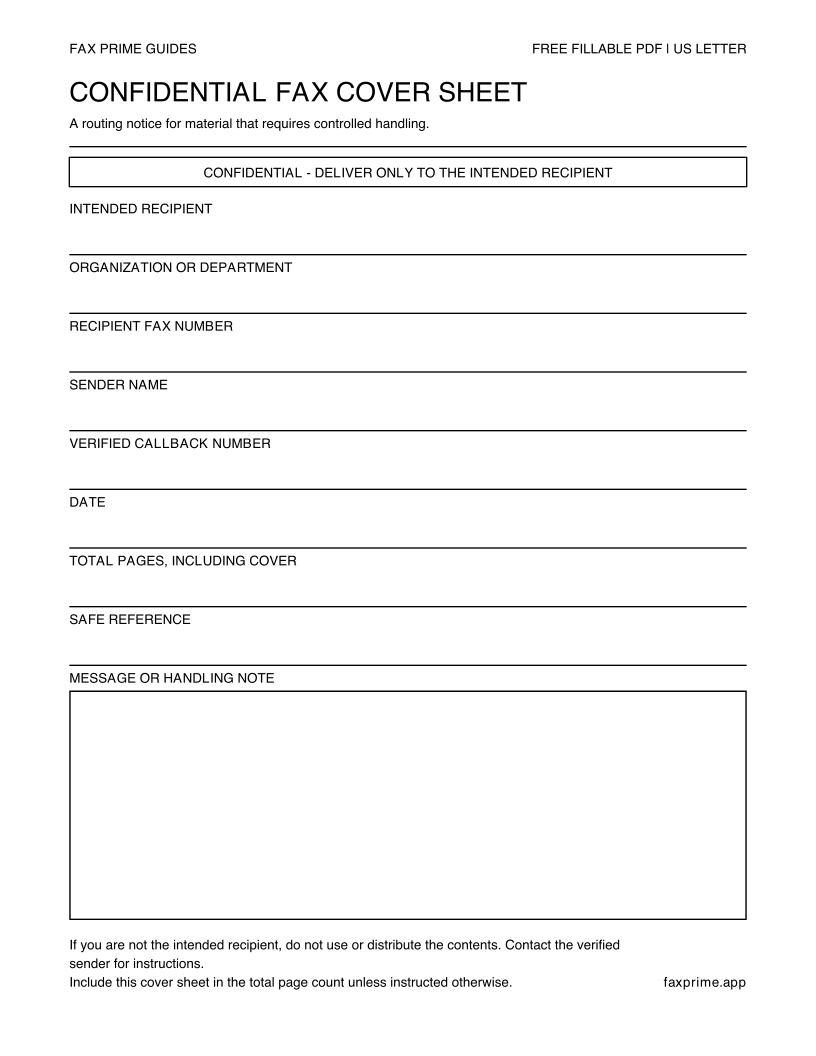
The three previews in the download section show the actual blank PDF templates. They are the same General, Business, and Confidential designs used by the generator.
For a completed cover, fill out the generator and print its downloaded PDF. For a blank cover, download the selected PDF, open it in a compatible viewer, and fill the fields or print it to complete by hand. Reopen a saved fillable copy to confirm that every entry remains visible. Printing this webpage produces the same three blank templates shown in the download section.
Before sending, check the destination fax number against a trusted source, count the complete transmission, and preview the cover sheet at readable size.
General fax cover sheet
Use the General template for a personal fax or a simple exchange where a company title and department are unnecessary. It keeps the routing fields short and leaves room for a message.
Fill in both the recipient’s name and fax number. Add a sender contact method that the recipient can use if a page is missing, but choose a contact appropriate for the sensitivity of the document. Write the total number of pages after the complete fax is assembled, not before.
A general cover sheet is suitable for routine forms, signed letters, supporting documents, and correspondence when the recipient has not requested a specialized form. It is not a substitute for the recipient’s submission instructions.
Business fax cover sheet
Use the Business template when a shared line serves several teams or when the document belongs to an ongoing transaction. Company, department, and reference fields help the receiving office route it without opening every page.
In the message area, state the requested action in one sentence: “Please add to vendor record 4821” or “Signature requested on page 4.” Include a response deadline only when it is real and the recipient has agreed to the process. Avoid urgent wording that obscures what the recipient actually needs to do.
The Business template uses the same clear field layout in the generator, blank download, and printable preview. Enter the sender and company together in the labeled field, and keep the message within its box.
Confidential fax cover sheet
Use the Confidential template when the transmission requires special handling. The label alerts whoever collects the pages that they should route them to the named recipient rather than distribute them routinely.
However, a confidential cover sheet does not establish privacy, legal privilege, HIPAA compliance, or any other compliance status by itself. It cannot prevent a shared fax machine from printing in an open room, and it cannot verify who picked up the pages. The complete process—number verification, approved service, recipient controls, access, storage, and organizational policy—determines how the information is protected.
Before sending sensitive material, verify the fax number directly with the intended organization. Ask whether someone is ready to receive it and what non-sensitive reference should appear on the first page. After sending, follow the approved confirmation procedure without disclosing private contents to an unverified contact.
Write a useful cover message
A good message is short, specific, and safe to display. It answers what the fax is, what the recipient should do, and how to report a problem.
Examples:
- “Attached are the requested signed forms. Six pages including cover.”
- “Please route to Accounts Payable and add to reference 4821.”
- “This is a corrected transmission. Please replace the version sent August 27.”
- “Please contact the sender if any page is missing or unreadable.”
Avoid including passwords, full government identification numbers, diagnoses, payment-card data, or other unnecessary details on the cover. If a required identifier is sensitive, follow the recipient’s instructions and use the minimum information needed to match the fax.
Add the cover sheet to Fax Prime
If you filled the template digitally, save it as a PDF and import it into the new fax. If you printed and wrote on it, scan it in even light. Place it first in the page order, followed by the main document and any supporting pages.
Preview the assembled fax and recount the pages. Update the cover sheet if its total is wrong. Then enter and verify the recipient’s fax number, review every page, send, and keep the final confirmation. The complete sequence is covered in how to fax from an iPhone.
Frequently asked questions
Is a fax cover sheet required?
Not for every fax. Use one when the recipient requires it, a shared line needs routing information, or the page count and sender details will help. A recipient-specific cover page takes priority over a generic template.
Where can I download a free fax cover sheet PDF?
Fill out the generator at the top of this page to download a completed US Letter PDF. For a blank form, use the General, Business, or Confidential download links below the generator. Each blank download is a one-page US Letter form with fillable fields. No account or email is required.
Is the cover sheet generator completely free?
Yes. Creating and downloading the cover sheet is free, with no sign-up. You can use the result with any fax service. Sending the fax is a separate step and may have a cost with the service you choose.
Are my entries uploaded?
No. The generator creates the preview and PDF locally in your browser. It does not send form entries to our server, and it does not save a draft. Download your file before reloading or closing the page.
Can I create and print a cover page on my phone?
Yes, in a modern browser with JavaScript enabled. Fill out the form and download the PDF, then open it in your phone’s file or PDF viewer to share or print. If the browser opens the file instead of saving it, use the viewer’s save or share control.
Does the cover sheet count as a page?
Usually yes. If you send one cover sheet plus five document pages, write “6 pages including cover.” Follow different instructions when the recipient explicitly provides them.
Can I write “confidential” on any fax?
You can use the label to communicate handling intent, but it does not create technical protection or guarantee legal status. Verify the recipient, destination, and full privacy process before transmitting sensitive information.
Should the cover sheet include my signature?
Usually it does not need one unless the recipient asks. Sign the actual form or letter in its required field. If you must prepare a signed page on your phone, use the scan, sign, and fax guide.
Can I reuse a completed cover sheet?
Reuse the blank structure, not the old recipient data. Clear every field, replace the date and page count, and verify that no information from a previous fax remains visible.
How do I correct a PDF after downloading it?
If the generator is still open with your entries, change the incorrect field and choose Download PDF again. Use the new file when assembling your fax; changing the form does not update a file you already downloaded or attached.
If you reloaded or closed the page, enter the details again. The generator does not restore drafts or import a completed PDF for editing. For a form you can fill later in a PDF viewer, start with a blank fillable download instead. After any correction, reopen the file you plan to send and check its details and page count.