Fax Prime for iPhone / 2026

Fax from iPhone. Without the fax machine.

Send and receive faxes from your iPhone. Scan, sign, and keep delivery proof in one place.

Download on the App Store

Free to download

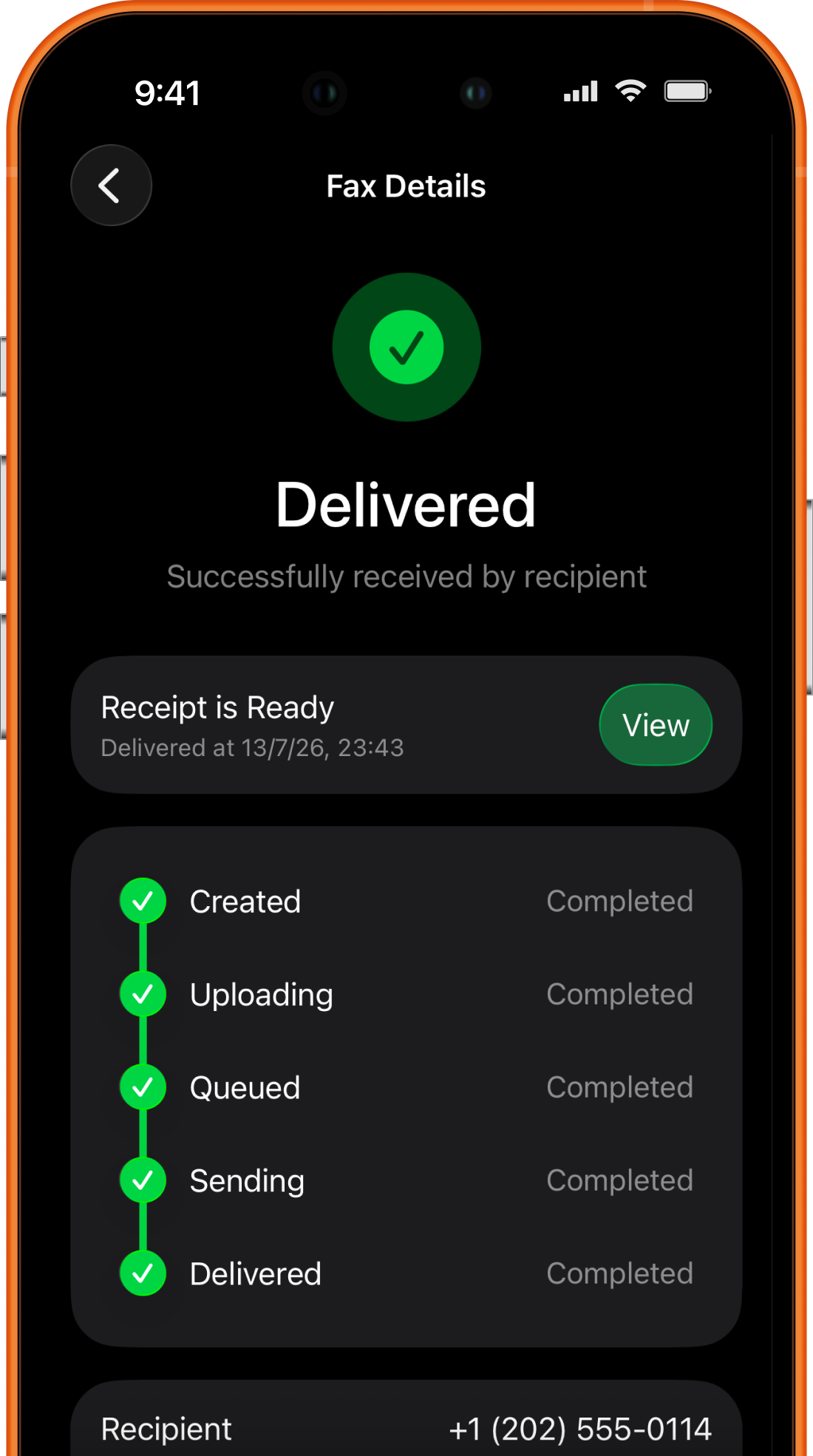
Fax Prime showing a delivered fax with confirmation receipt
Sensitive paperworkDesigned for HIPAA-compliant workflows
Proof at handDelivery status, history, and confirmation receipts
Common needsMedical · Legal · Insurance · Tax · Business

01 / Workflow

One place for every step.

01

Prepare

Choose a recipient, country, cover page, and attachments.

02

Edit and sign

Clean up documents and add a signature before sending.

03

Send

Watch progress as your fax moves through the sending queue.

04

Track and receive

Keep statuses, receipts, sent faxes, and received documents together.

02 / Prepare

Everything ready before you send.

Choose the recipient, add a cover page, and check every attachment before sending.
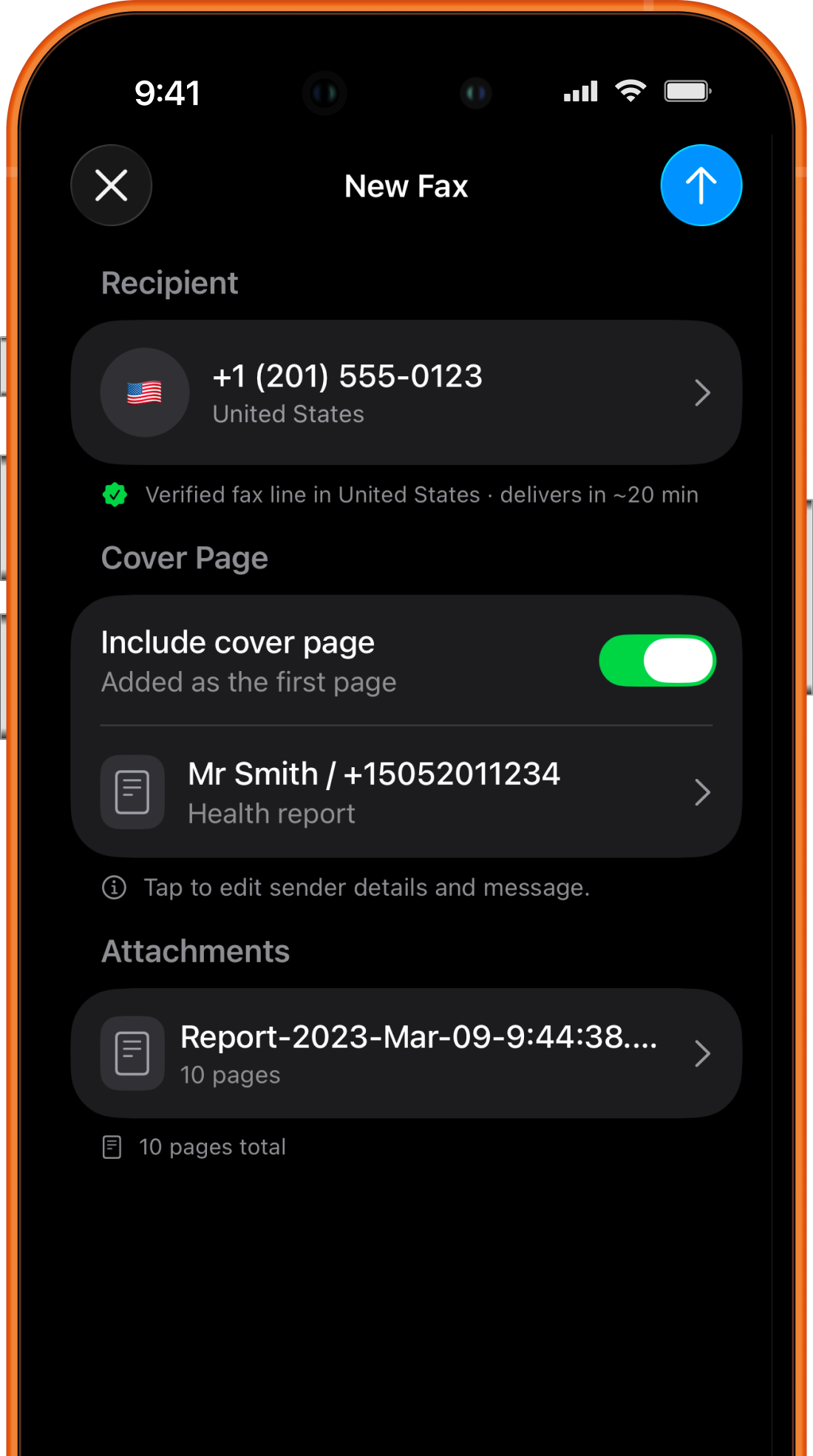
  • International recipient selection
  • Optional cover page
  • Attachment and page count review
Fax Prime new fax screen with recipient, cover page, and attachments

03 / Edit

Review, mark up, and sign.

Edit the document and place your signature before it becomes a fax.
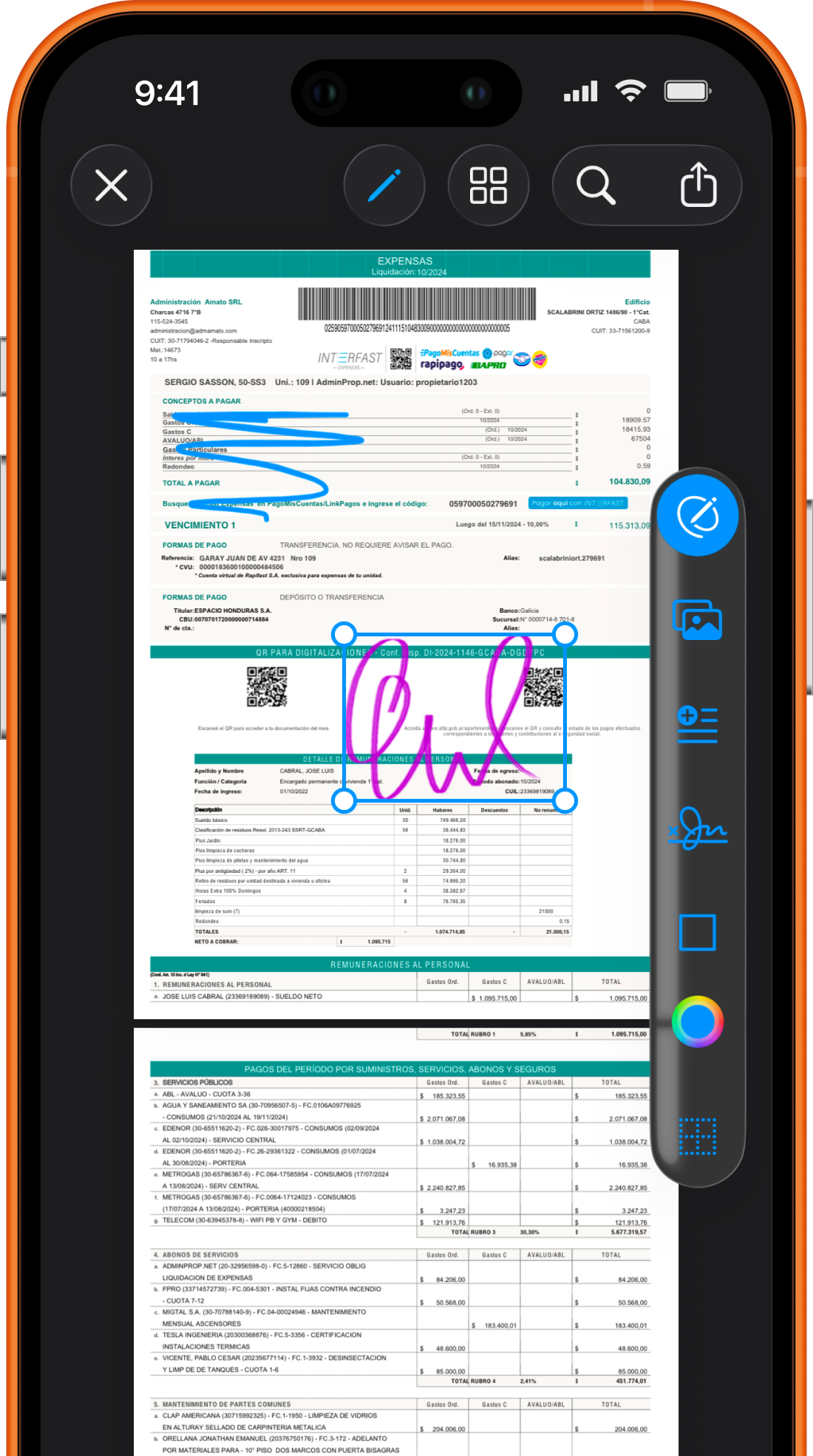
  • Document preview
  • Annotation and markup tools
  • Signature placement
Fax Prime document editor with markup and signature tools

04 / Send

Follow the fax as it moves.

See each stage from upload to delivery, with recipient and page details beside it.
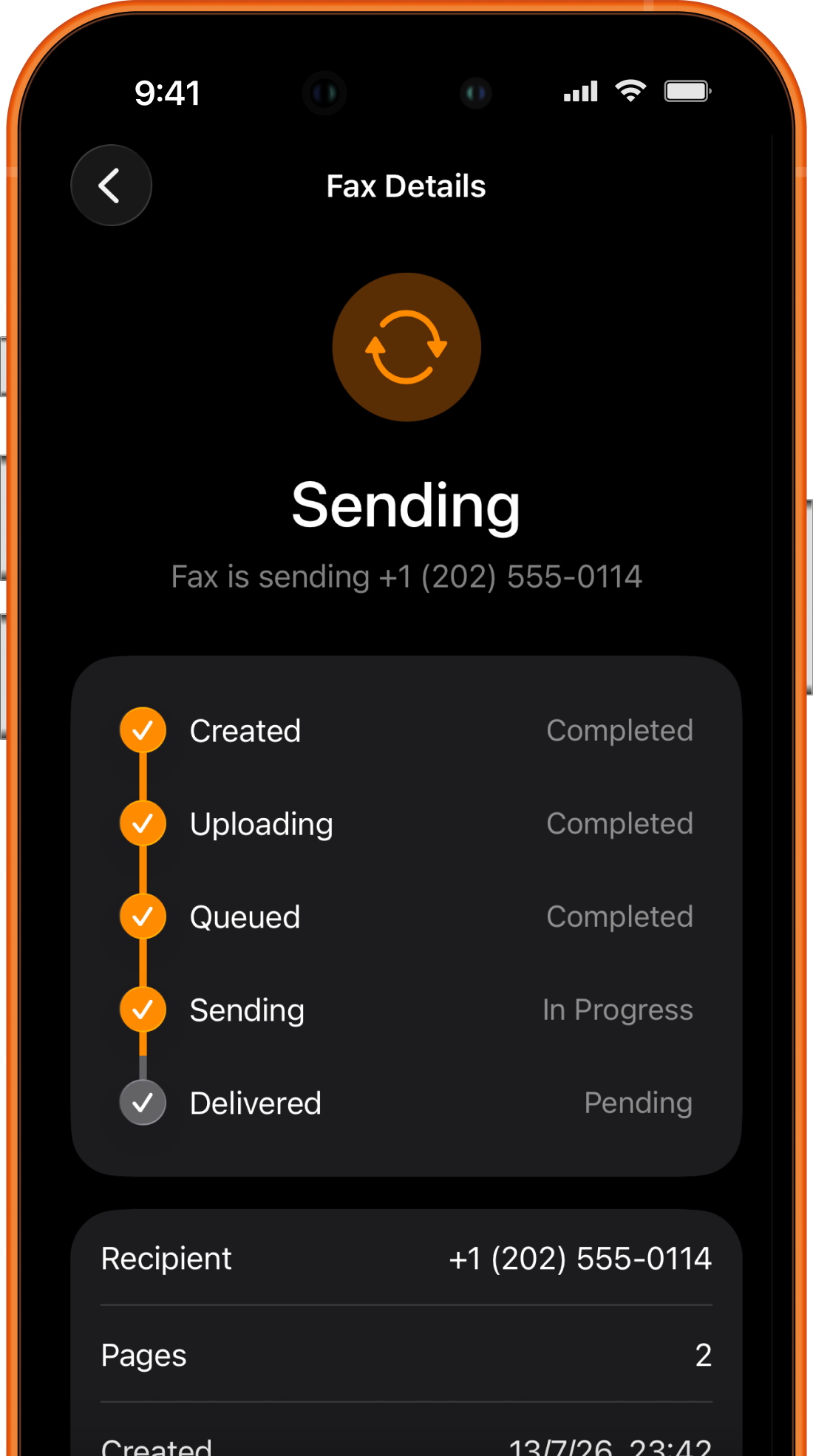
  • Created and uploading stages
  • Queued and sending status
  • Recipient and page details
Fax Prime showing fax sending progress

05 / Track

Your fax history stays organized.

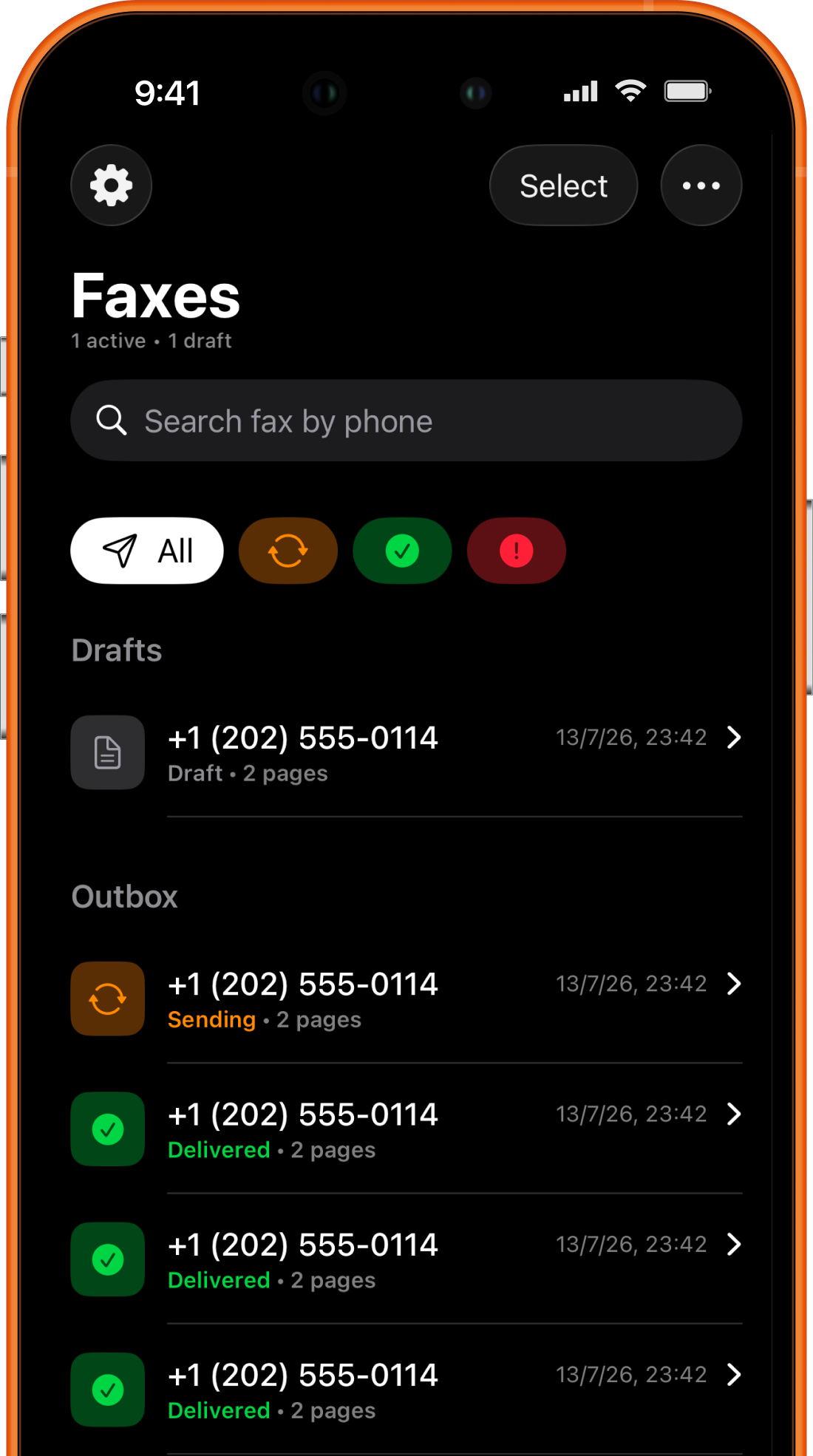
Return to drafts, active sends, delivered faxes, and received documents in one organized history.
  • Drafts and active faxes
  • Delivered status at a glance
  • Searchable fax history
Fax Prime fax history with drafts, sending, and delivered items

06 / Sensitive documents

A considered workflow for serious paperwork.

Fax Prime is designed for HIPAA-compliant fax workflows. Document preparation, sending status, and receipts stay in one place, reducing the need to rely on a public fax machine or move paperwork between multiple tools.

Edit and sign before sending
Visible fax status
Confirmation receipts
Send and receive in one app

07 / FAQ

Questions, answered directly.

Can I fax directly from my iPhone?
Yes. Fax Prime lets you scan or import a document, prepare it on your iPhone, and send it without a physical fax machine.
Can I receive faxes on my iPhone?
Yes. Fax Prime keeps received faxes available in the app so you can review and manage them from your iPhone.
Can I sign a document before faxing it?
Yes. You can edit and sign a document in Fax Prime before sending it.
How do I know whether a fax was delivered?
Fax Prime shows delivery status and keeps your fax history and confirmation receipts together.
What documents can I add?
Start with a camera scan, a photo, a file, or a document stored in Dropbox, including common document and image formats.
Is Fax Prime HIPAA compliant?
Yes. Fax Prime is designed for HIPAA-compliant fax workflows involving sensitive documents.

Fax Prime / App Store

The fax workflow, without the fax machine.

Open Fax Prime on the App Store →